A Camtasia alternative for everyday screen recording
Record your screen, cut out the slow parts, zoom in on what matters and send it. Kestrel does that and takes screenshots too, for $19.99 a year. Camtasia’s editor does more in a couple of places, and we say where further down.
Made for Windows 11. Zooms, speed changes and animated callouts are built in. No account needed.
Zooms, speed changes and animated callouts are built in. No account needed.
14 days free in the app, then $19.99 a year. Each license covers 2 computers. No lifetime plan. On Windows, all sales are final, with no refunds. Cancel anytime to stop the next renewal. Terms of sale
On Mac, Kestrel is in beta on Apple TestFlight now and is coming to the Mac App Store at $19.99 a year, with a 14-day trial. Apple handles payment, renewals and refunds under Apple’s terms.
Need it for Mac? Join the Mac beta
Try it free for 14 days in the app, then $19.99 a year. No account, no card.
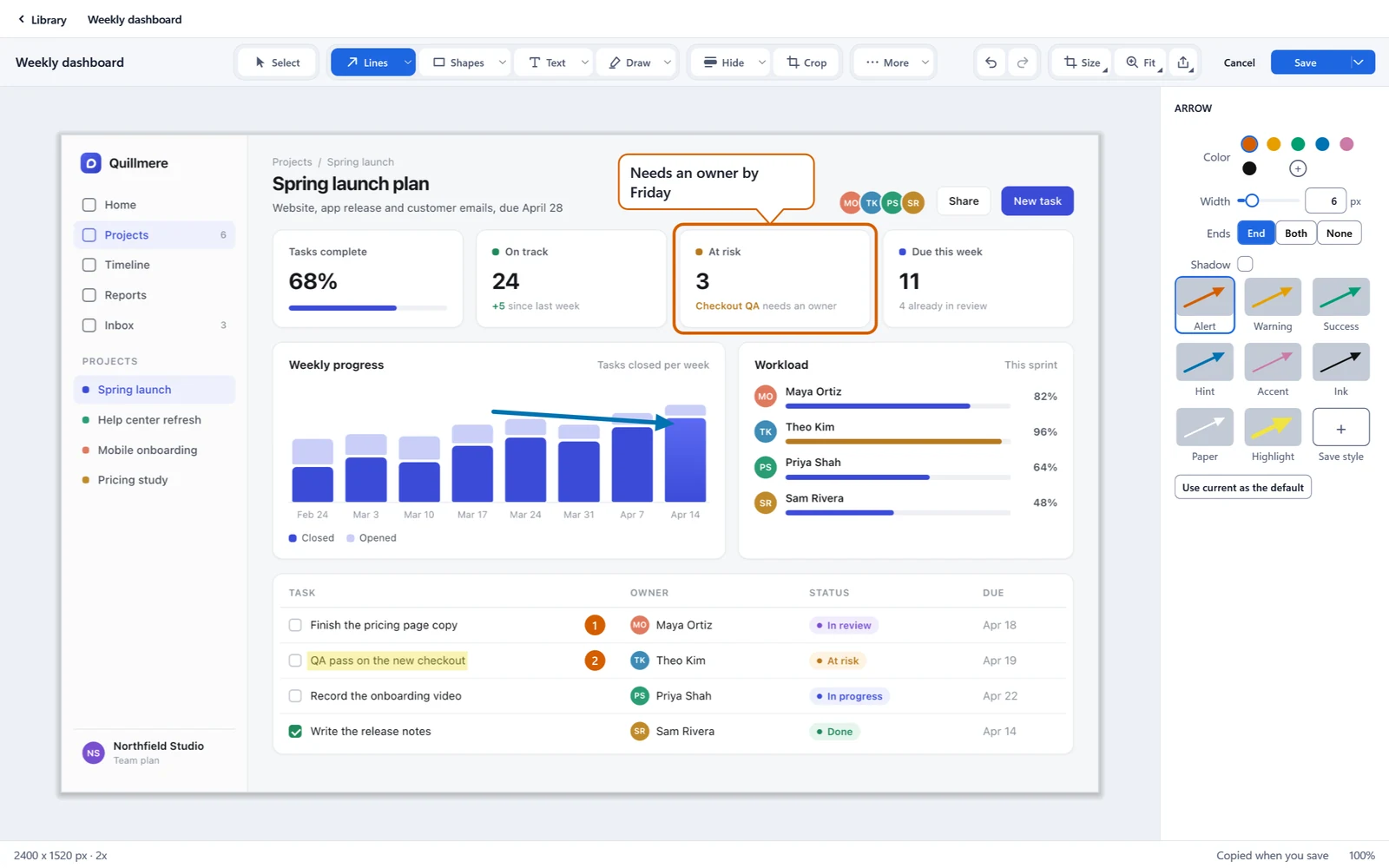
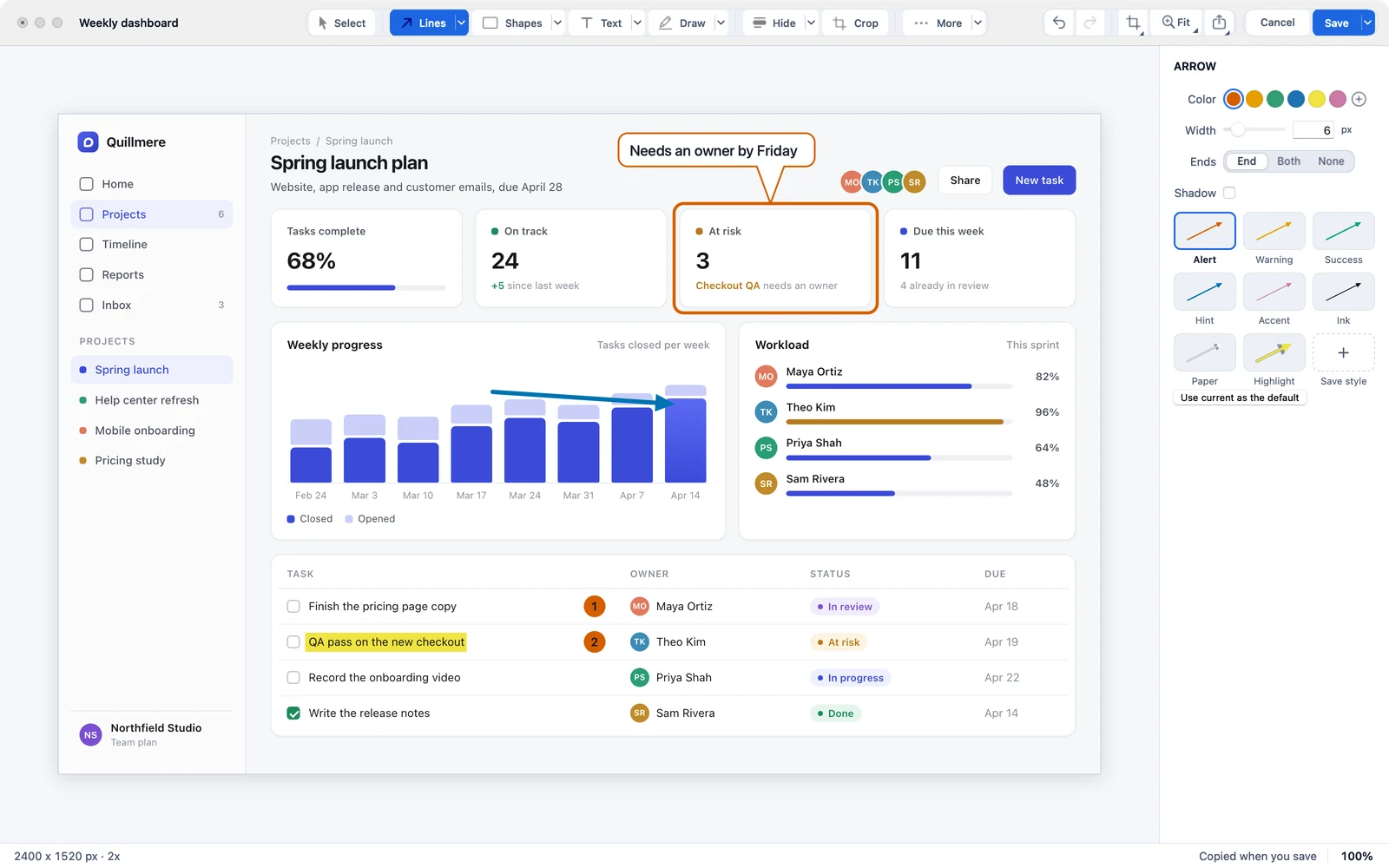
The recording parts most people use, in one app
Most screen recordings need the same short list. Each one is in Kestrel, with a demo you can watch before you install anything.
- Watch
Record with your voice and your computer’s sound
An area, a window or the whole screen, with your camera in the corner if you want it.
- Watch
Zoom and pan
Zoom in on the part that matters and pan across, on the recording you already made.
- Watch
Zoom to each click
One button adds a zoom wherever you clicked, then eases back out.
- Watch
Speed up, slow down or hold a frame
Play any part from a quarter speed up to 16 times as fast, or freeze on one moment for up to 30 seconds.
Notes and arrows on a timer
Add a note, an arrow or a marker that shows for just the seconds you choose.
- Watch
Cut out the middle, with a clean join
Cut a section out, then pick from eight join styles with a preview.
- Watch
Click styles you can change later
Every click is saved as data, so you can restyle, add or remove clicks after you record.
Kestrel and Camtasia, feature by feature
20 features, straight from TechSmith’s pages and from what Kestrel’s code does today. The last block is where Camtasia has more.
| Feature | Kestrel | Camtasia |
|---|---|---|
| Record | ||
| Screen recordingRecord an area, a window or the whole screen. | Yes | Yes |
| System audioRecord the sound your computer plays, alongside your screen. | Yes | Yes |
| MicrophoneChoose a microphone, watch a level meter and set its sensitivity. | Yes | Yes |
| CameraRecord your camera with mirror, quality and device choice. | Yes | Yes |
| Cursor highlightHighlight the pointer in the recording so viewers can follow it. | Yes | Yes |
| Keystrokes on screenShow the keys you type, with an option to show all typing. | Yes | PartlyKeystroke callouts are typed in by hand per the tutorial read; its recorder keeps keystroke data. |
| Click effectsShow a click as a Ripple, a Focus pulse or a Lock, saved as data you can change later. | Yes | Yes |
| Edit and zoom | ||
| TrimSet the start and end of a video by dragging the amber handles. | Yes | Yes |
| Cut out the middleRemove a section from inside a video and join the two ends. | Yes | Yes |
| Eight join stylesAfter a cut, pick a plain cut, crossfade, whip pan, zoom punch and more, with a preview. | Yes | Yes |
| SpeedSlow down or speed up a marked part from 0.25x to 16x. Up to 200 changes fit in one video. | Yes | YesClip speed, per TechSmith's video editing quick guide. |
| Hold a framePress F and the picture stays still while the clock runs, for up to 30 seconds each. | Yes | YesExtend frame, per TechSmith's video editing quick guide. |
| Zoom and panZoom into part of the picture by hand, with Level, Ease in, Ease out and when it shows. | Yes | Yes |
| Zoom to each clickOne button builds zoom regions from your clicks and groups nearby ones, ready for you to adjust. | Yes | YesCamtasia lists AI auto zoom and pan; its cursor and click data comes from its own recorder file. |
| Notes for a time rangeAdd notes, arrows and markers that show only for the time you choose. | Yes | Yes |
| Animated calloutsCallouts that draw themselves in and out of a video: 12 types and 39 motions, with a motion picker that previews on hover, and favorites. | Yes | YesCamtasia lists on-screen annotations: callouts, arrows, shapes and sketch motion on video. |
| Export | ||
| MP4 videoExport a recording as an MP4 from the export panel. | Yes | Yes |
| Animated GIFExport a recording as a GIF from the same panel. | Yes | Yes |
| Where Camtasia does more | ||
| Background noise removalClean hiss and hum out of a recording's sound. | Not listed | YesAI noise removal. |
| Cut video by editing its transcriptDelete words from the transcript and the video cuts to match. | Not listed | YesAI text-based editing. |
| Price for one personCamtasia Essentials, without a watermark. Starter is $39 a year with a watermark on exports. | $19.99 a year | $179.88 a yearCamtasia Essentials |
Yes Has itPartly Does part of it, or only with its own recorder file (the note says which)Not listed Not on the maker’s published pages
Camtasia facts come from TechSmith’s own pages, read November 15, 2026: Camtasia features, Camtasia tutorials and Camtasia pricing. A mark of “not on the maker’s published pages” is not proof a feature is missing. Camtasia and TechSmith are trademarks of TechSmith Corporation, named here only to say which app we mean.
Where Camtasia is the better pick
If most of your work is long, produced videos, Camtasia is the bigger editor. Two things we can point to on TechSmith’s feature page:
- AI noise removal, to clean hiss and hum out of a recording’s sound. Kestrel has no noise removal.
- AI text-based editing, where you delete words from the transcript and the video cuts to match. Kestrel does not have it.
Kestrel also cannot draw on screen while you record. If those matter more to you than price, Camtasia is the honest answer.
Screenshots too, in the same app
Every Camtasia plan includes Snagit for screenshots (TechSmith’s Camtasia pricing page, read November 15, 2026). In Kestrel it is one app and one price.
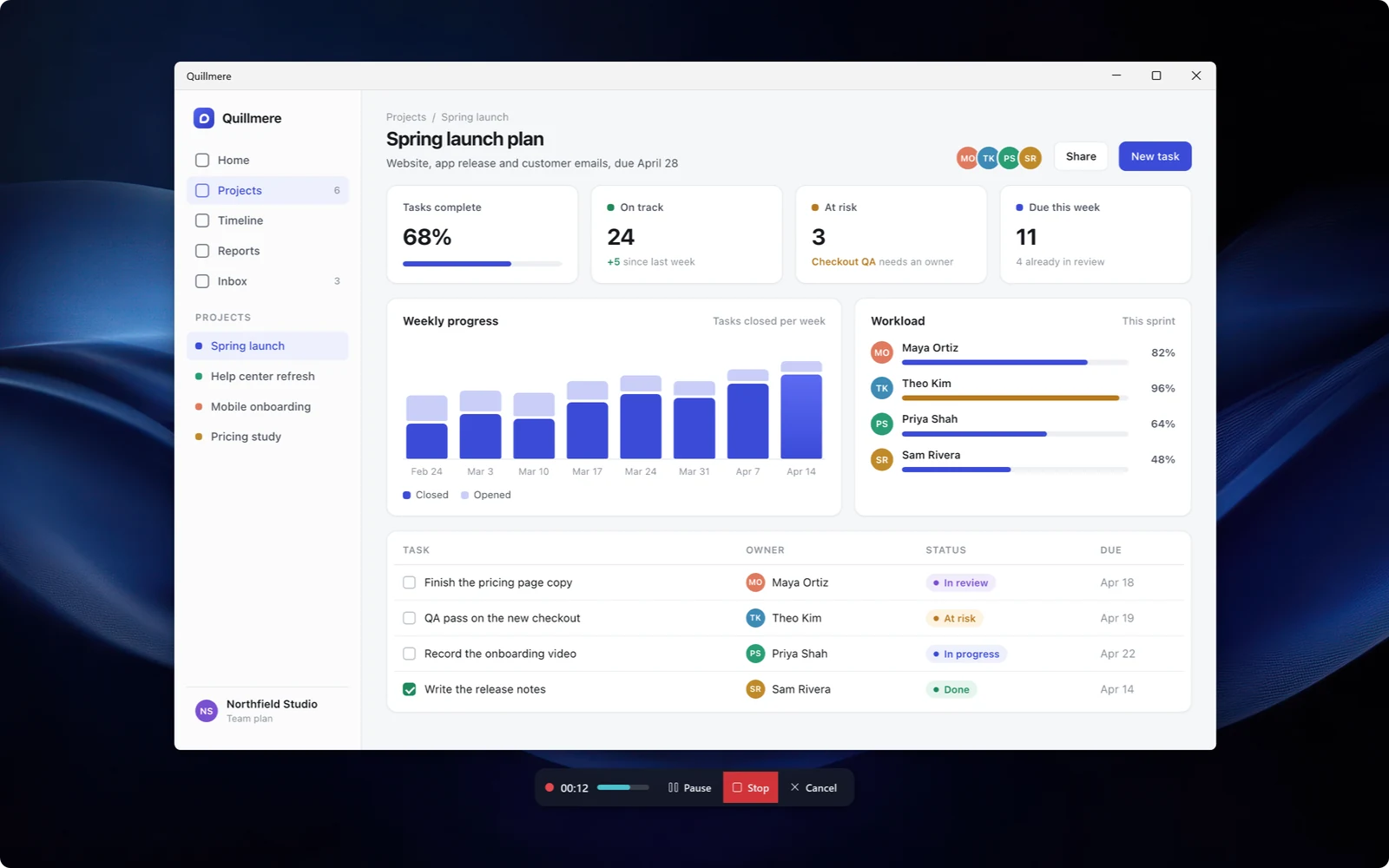
A recorder that doesn’t lose the take.
Record with sound, then trim it and point at things with arrows and steps timed to the second.
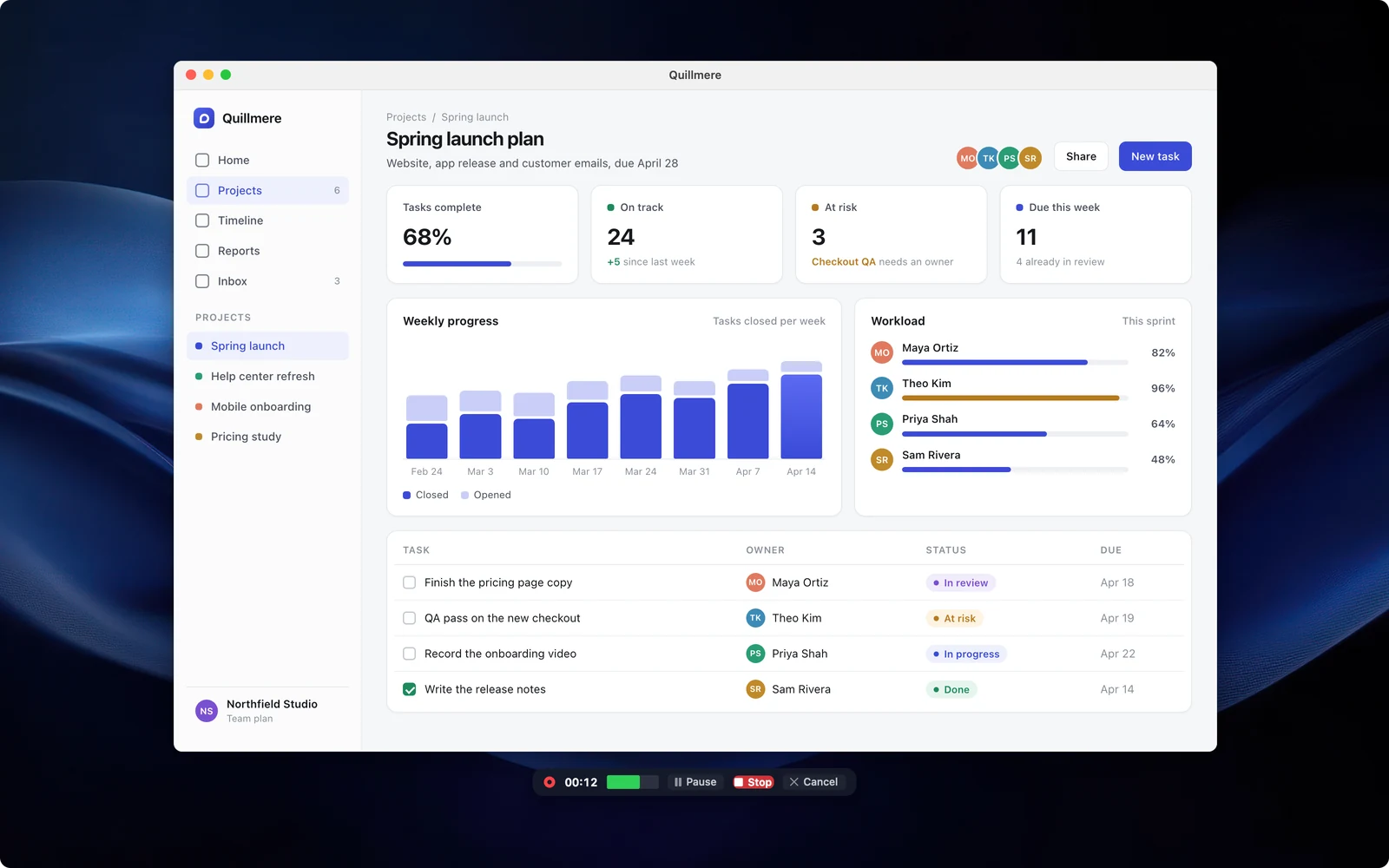
A recorder that doesn’t lose the take.
Record with sound, then trim it and point at things with arrows and steps timed to the second.
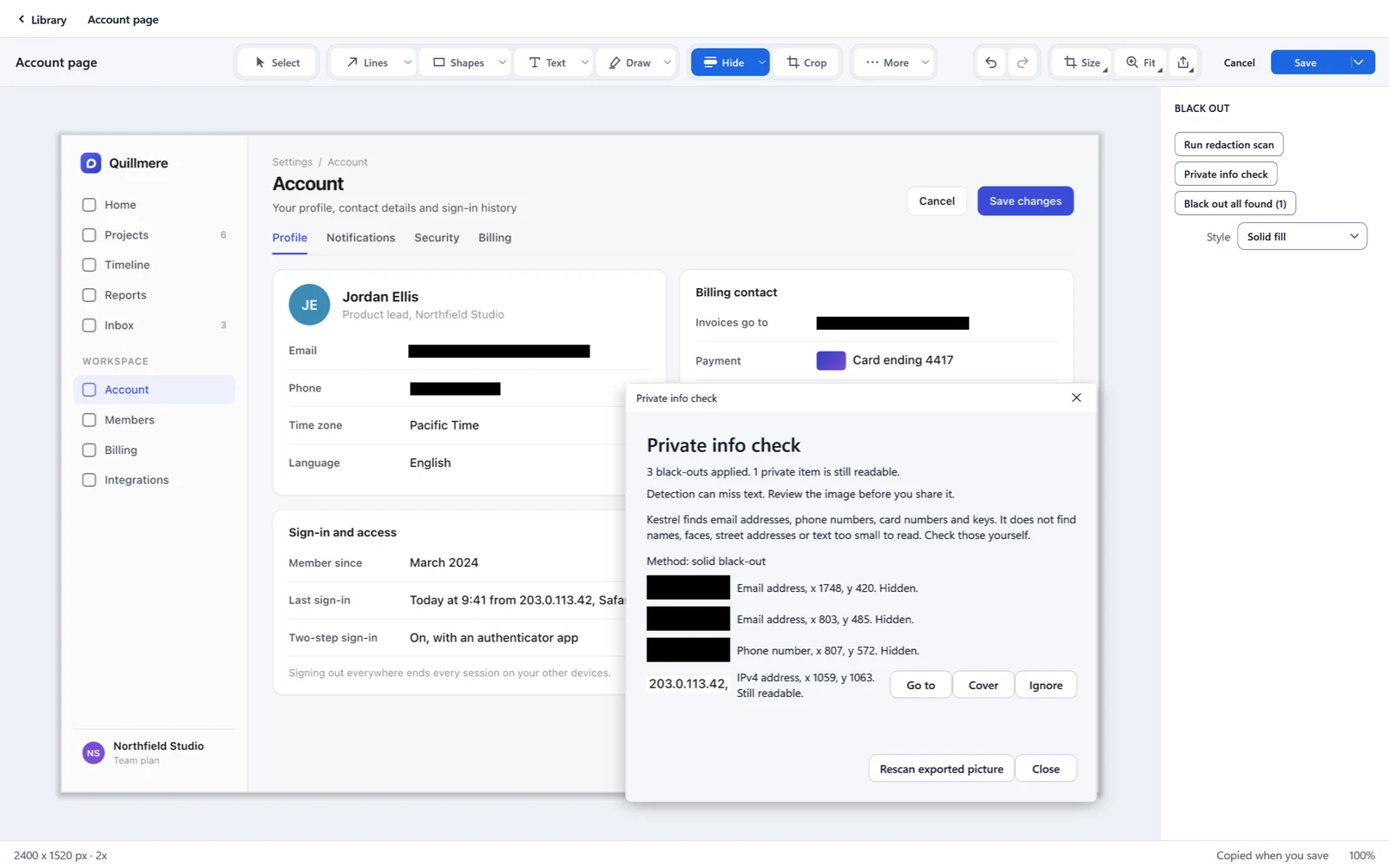
Find the private bits before your reader does.
Kestrel helps find emails, API keys and tokens, and detection can miss things, so you check before you share.
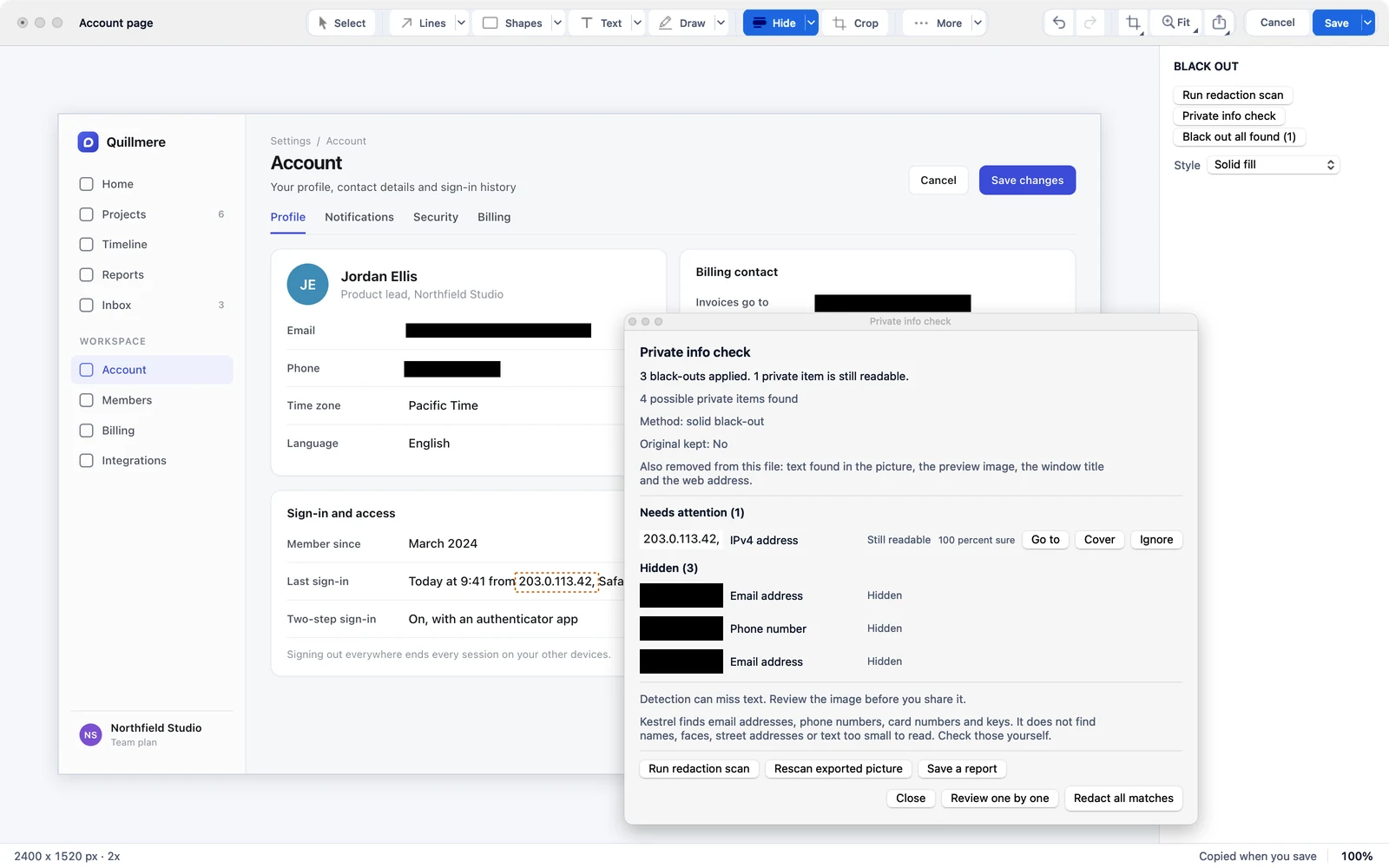
Find the private bits before your reader does.
Kestrel helps find emails, API keys and tokens, and detection can miss things, so you check before you share.
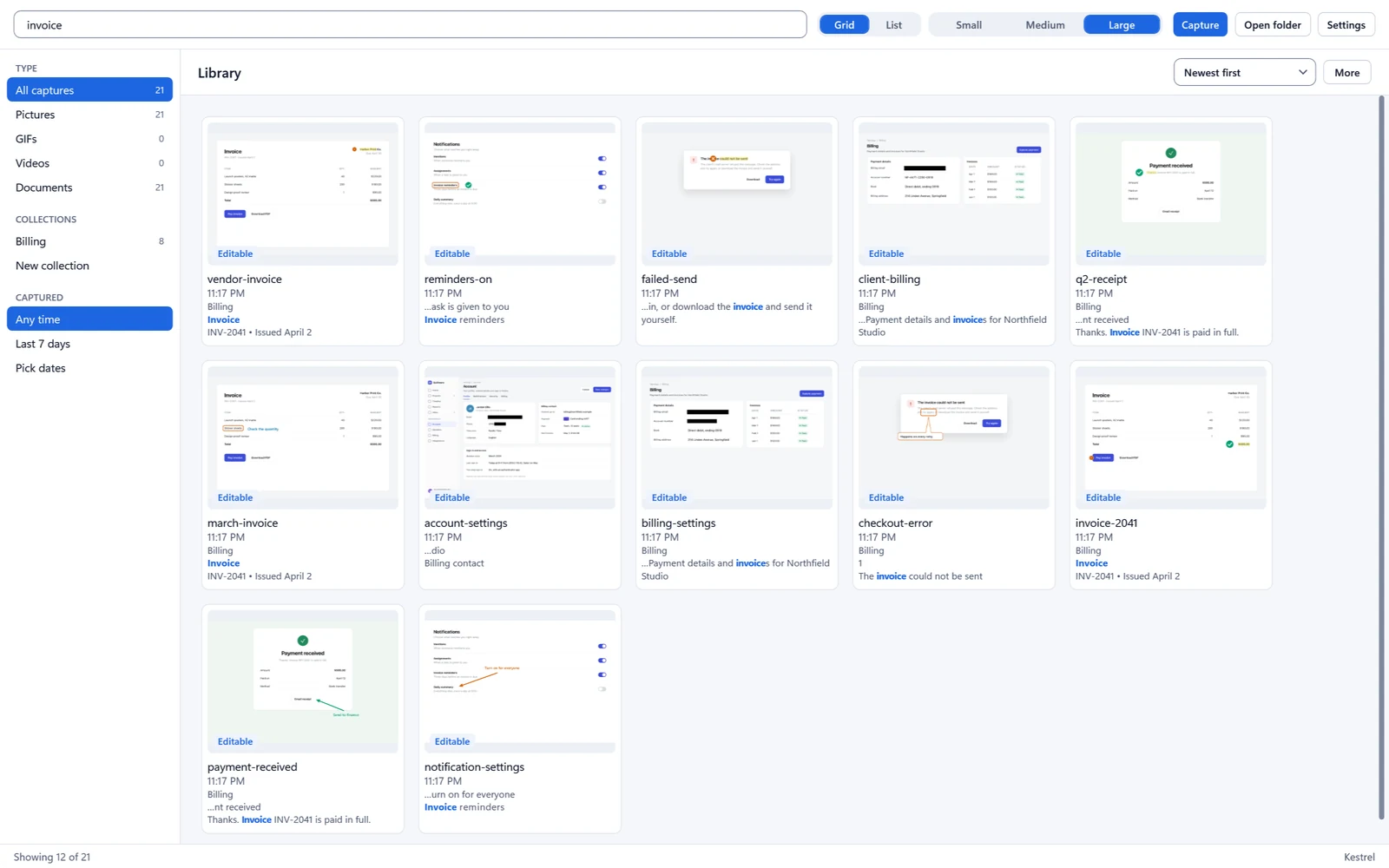
Find it again by what it says.
The Library searches the words inside your pictures.
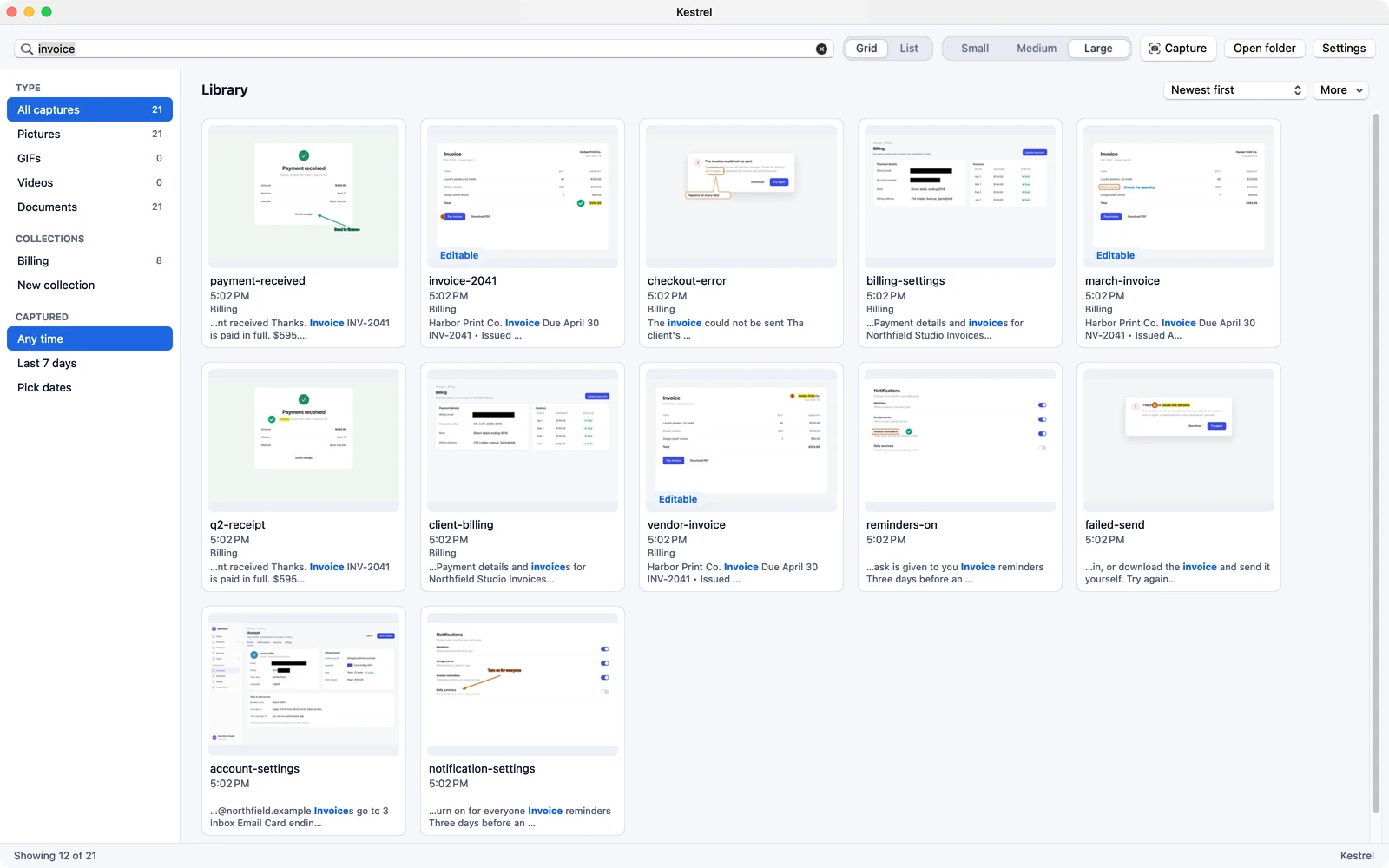
Find it again by what it says.
The Library searches the words inside your pictures.
What each one costs for a year
Camtasia prices from TechSmith’s store, read November 15, 2026. There is no lifetime plan for Kestrel.
14 days free in the app, then $19.99 a year. Each license covers 2 computers. No lifetime plan. On Windows, all sales are final, with no refunds. Cancel anytime to stop the next renewal. Terms of sale
On Mac, Kestrel is in beta on Apple TestFlight now and is coming to the Mac App Store at $19.99 a year, with a 14-day trial. Apple handles payment, renewals and refunds under Apple’s terms.
Before you switch
Does it run on Mac and Windows?
Yes. Windows 11 23H2 or later, on x64 or ARM64, is available now. Kestrel for Mac is in beta on Apple TestFlight, with the Mac App Store coming.
What if I change my mind after paying?
On Windows you buy on this site and all sales are final, with no refunds. That is why the 14-day trial is free and needs no card. You can cancel anytime to stop the next renewal. On Mac, Apple handles payment, renewals and refunds under Apple’s terms. Kestrel for Mac is in beta on Apple TestFlight now.
How does the free trial work?
Install Kestrel and use all of it for 14 days. You do not need an account or a card to start. After 14 days it is $19.99 a year.
What happens if my license ends?
If a license ends, you can still open, edit, save and export your files. New captures pause.
Does Kestrel collect my data?
It needs no account and sends no usage data. The only places it can reach are its update server and its license server, and every request goes in a connection log you can read and export. One switch turns network access off.
Try Kestrel free for 14 days
Need it for Mac? Join the Mac beta
Try it free for 14 days in the app, then $19.99 a year. No account, no card.
14 days free in the app, then $19.99 a year. Each license covers 2 computers. No lifetime plan. On Windows, all sales are final, with no refunds. Cancel anytime to stop the next renewal. Terms of sale
On Mac, Kestrel is in beta on Apple TestFlight now and is coming to the Mac App Store at $19.99 a year, with a 14-day trial. Apple handles payment, renewals and refunds under Apple’s terms.